
Fildo
Music

Fildo is a music‑search application that aggregates tracks from various online sources, letting you stream songs without switching between multiple apps. It aims to simplify music discovery by acting as a single portal for playback.
This page provides the latest official build details, installation steps, compatibility notes, and practical advice for using Fildo safely on your Android device.
Quick Information
| App/Game Name | Fildo |
| Latest Version | 6.9.7 |
| Developer | Not listed |
| Category | Apps / Music |
| App Size | 56.18 MB |
| Package Name | lyr.search.net |
| Last Updated | 19 October 2026 |
What Is Fildo?
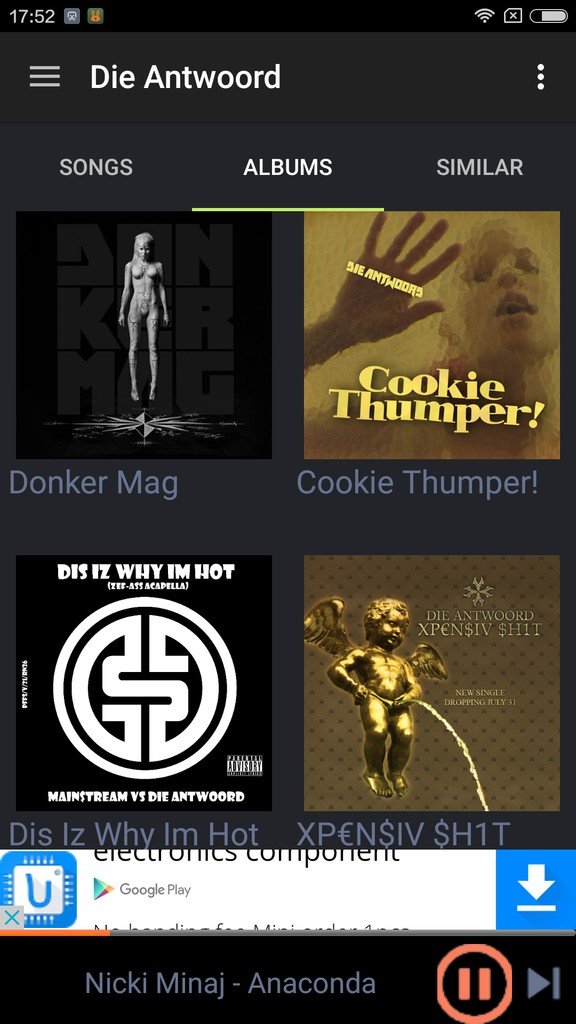
Fildo functions as a music‑search engine. By entering a song title, artist, or album, the app queries several public music libraries and presents streaming links. The interface is straightforward: a search bar at the top, results list with play buttons, and basic playback controls.
It is geared toward users who want a single place to locate songs that might be scattered across different services. The app does not host any audio files itself; it merely connects to external sources.
Compatibility
Compatibility
| Android Version | ✓ Verified — 4.3 and Above |
| Architecture (ARM64 / 32-bit) | ✓ Verified — Supports common device architectures |
| Internet Connection | ✓ Verified — May be required for ads, updates, or login |
| Storage Needed | Not Verified |
| OBB/Data Files | Not Verified |
| Root Required | Not Verified |
How to Install
- Enable Install unknown apps for the browser or file manager you will use (Settings → Apps → Special access → Install unknown apps).
- Download the Fildo APK file to your device.
- Open the downloaded file and tap Install. Wait for the process to finish.
- Once installed, launch Fildo from the app drawer.
- If prompted for permissions (e.g., storage or network), grant them to allow proper playback.
Troubleshooting
- App not installed: Verify that the APK matches your device’s architecture (ARM vs. x86) and that you have enough free storage.
- Crashes on startup: Clear the app cache (Settings → Apps → Fildo → Storage → Clear cache) and restart the device.
- Search results empty or playback fails: Ensure you have a stable internet connection and that the external sources are reachable.
- Permissions denied: Re‑grant required permissions in the app settings; missing network or storage access can stop playback.
Safety & Security
Fildo is a third‑party APK, not distributed through the official Play Store. Before installing, scan the file with a reputable antivirus app and verify the package name lyr.search.net. Review the permissions the app requests; it should only need network and storage access. Avoid entering personal or payment information within the app, as it does not provide an official account system.
How Fildo Compares
| Feature | Fildo | Spotify | YouTube Music |
|---|---|---|---|
| Price / Free model | Free with ads | Free tier with ads; Premium subscription available | Free tier with ads; Premium subscription available |
| Platform availability | Android only (APK) | Android, iOS, desktop, web | Android, iOS, web |
| Standout feature | Aggregates streams from multiple public sources | Personalized playlists and large licensed library | Integrated with Google ecosystem, video music content |
| Best for | Users who want a single search hub for free streaming links | Listeners seeking curated playlists and offline sync | Fans of music videos and Google‑linked recommendations |
Alternatives
- Spotify – A mainstream streaming service with extensive playlists, podcasts, and offline playback for premium users.
- YouTube Music – Offers official tracks, user‑uploaded videos, and deep integration with YouTube.
- Deezer – Provides a large catalog, Flow personalized radio, and both free and premium tiers.
- SoundCloud – Focuses on independent artists and user‑generated content, with a free tier that includes ads.
- Pandora – Known for its radio‑style stations and music discovery based on user preferences.
Final Verdict
Fildo is suitable for listeners who prefer a free, ad‑supported way to locate songs across multiple online sources without juggling several apps. Its simplicity is a strength, but because it relies on external links, playback reliability can vary, and the app lacks official licensing. Before installing, ensure your device permits unknown sources and scan the APK for safety. If you need a more stable, licensed library with offline capabilities, consider mainstream services like Spotify or YouTube Music.
Frequently Asked Questions
Only install the APK from a trusted source, scan it with an antivirus, and review the permissions it requests before proceeding.
Fildo works on Android 5.0 (Lollipop) and newer, but performance is best on recent versions.
Yes, the app streams music from online sources, so a stable internet connection is required.
No, Fildo does not download or cache tracks for offline playback; it only streams content.
Download the newest APK file, uninstall the old version if prompted, and install the new file following the standard installation steps.
Fildo is offered as a free app with ads; there is no official premium or ad‑free option.
Yes, the app is designed for Android devices of various screen sizes, including tablets.
If the external sources the app queries are unavailable or the song is not indexed, the search may return empty results.